
Withering Realms Settings, Perf HUD, and bug reports
How to read frame time, copy a Realm, and send Moonless Formless a save that reproduces the room.
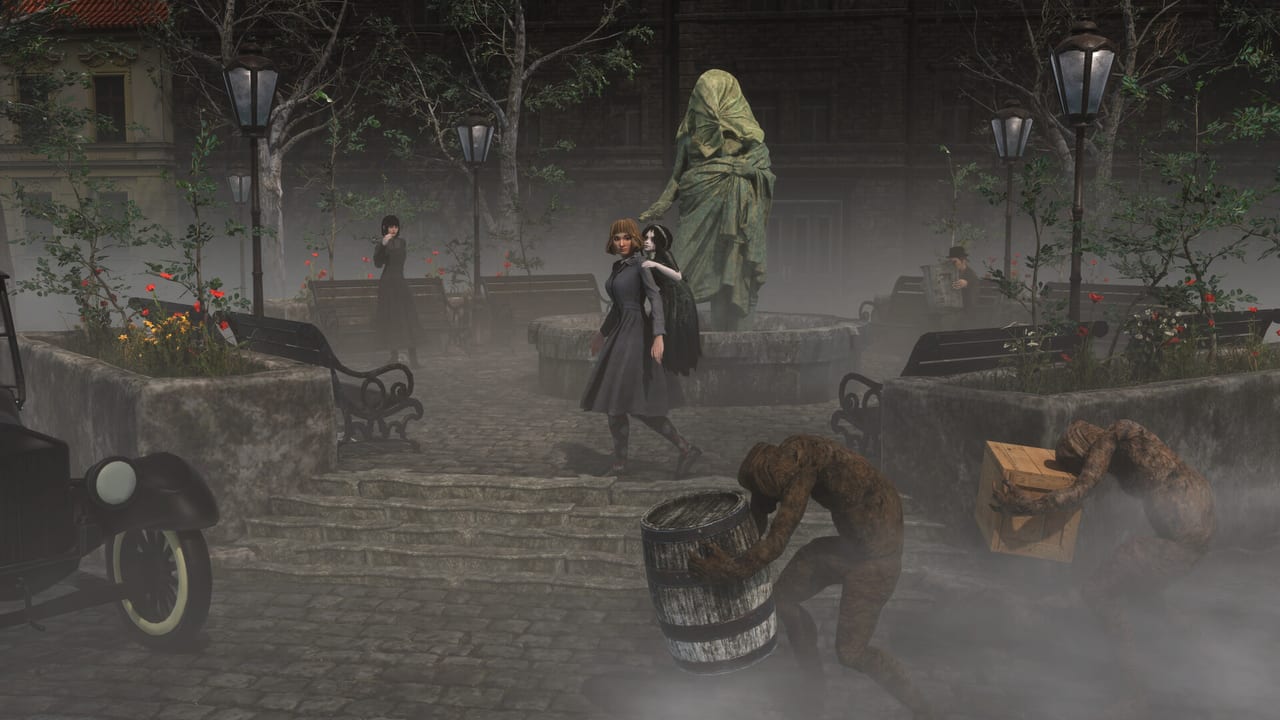
Early Access on 2 September 2026 is a full campaign with the hood left open. This page is the menu map: graphics presets, the Perf HUD, controller support, the English-only interface, and the slash-key reporter that attaches a screenshot and a save. Pair it with system requirements before you blame Penwyll for a GTX 970 on Ultra. Pair it with Early Access scope before you file a “missing language” ticket that 1.0 is supposed to answer.
Moonless Formless documents most of this on the official support page. What follows is a wiki-shaped version of that advice, plus the surrounding Early Access rules. It is not a trainer. It is not a list of hidden console commands.
Slash-key reporter
The in-game bug report tool lives on the pause menu. You can also press / on the keyboard at any time, including during dialogue. Reports go out with a screenshot and a save so a solo developer can replay the room. That pair is the difference between a useful ticket and a Discord message that ages into folklore.
Use the reporter for crashes, softlocks, lighting that never comes back, inventory that duplicates, and talisman combinations that delete a boss in one cycle. Name the dungeon, whether it was night, and the weapons on each arm. Keep the build ranking nearby so you describe the loadout in the same words as the rest of the wiki.
After the in-game tool:
- Withering Rooms Discord — still the studio’s public server
- Steam Community
- support@moonlessformless.com for serious save or account problems
You can opt in at launch, or toggle in options, to send anonymous gameplay data for balancing. That silent feed does not replace a written report when something is actually broken.
Perf HUD and graphics presets
Turn on Perf HUD in graphics options when you need numbers instead of vibes. It displays framerate information while you play. Use it in Penwyll at night, in large interiors, and on Steam Deck if you try the build there. The developer said the demo ran well start to finish on Deck; the HUD is how you check whether your handheld session still matches that sentence.
If the game runs poorly, lower the quality setting or turn on upscaling before you rewrite the spec sheet. Additional optimizations are planned throughout Early Access. If one area is uniquely bad, file a report for that area instead of a generic “optimization please.”
Ultra is the expensive row. SSGI and ultra-quality volumetrics have a high per-pixel cost. Consider High if you are at a high resolution without DLSS or FSR. Lower the separate Volumetric Quality option if shadows and fog are the thing that melt the GPU. The support page’s preset table, restated:
| Feature | Low | Medium | High | Ultra |
|---|---|---|---|---|
| Material quality | Low | Medium | Highest | Highest |
| Grass / foliage density | Low | Medium | Highest | Highest |
| Shadows | Contact only | Medium quality | High quality | Soft high quality (PCSS) |
| Volumetrics | None | Medium quality | High quality with select volumetric shadows | High quality with all volumetric shadows |
| Decals | Off | Off | On | On |
| Ambient occlusion | Low | Medium | Highest | Highest |
| SSGI | None | None | None | On, half-res above 1080p |
Match this table to the minimum and recommended GPUs. A GTX 970 on Ultra SSGI is not the configuration Steam published.
Controller, keyboard, and language
Steam lists full controller support, DualShock, and DualSense. Play the doll from a couch if you want. Keep a way to open the reporter: pause menu on a pad, / on a keyboard. The slash shortcut is the reason a keyboard still matters even if you never touch WASD.
Interface, audio, and subtitles are English only in Early Access. Additional languages are planned for the 2027 full release, not as a hidden dropdown in the September installer. If the menu is English, that is the listed state, not a bug. This fan wiki’s French, German, and Spanish pages are not in-game localization.
Difficulty, saves, and copied Realms
Changing your build is often more effective than lowering a slider. If the doll still cannot stand, switch difficulty to Narrative in Gameplay Options at any time. That toggle is for “I want the story,” not for skipping the reporter when a craft is broken. Please still send notes about encounters that felt too easy or too hostile; that is the balance data Early Access exists to catch.
Copy a Realm before you spend a night on a cursed talisman stack. From the title screen, open the Realms menu, select a Realm, choose Manage Realm, choose Copy Realm, and store the copy on another empty candle. Default disk path:
C:\Users\YOURNAME\AppData\LocalLow\Moonless Formless\Withering Realms\YOURSTEAMID
Steam Cloud is listed. A local copy is still the fast undo. Family Sharing is listed; it does not mean two people play the same candle at once.
What not to file
Do not file a missing multiplayer mode — the game is single-player. Do not file “where is French audio” — that is a 1.0 language item. Do not file “where is my PS5 version” — consoles are after Early Access. Do not file a missing New Game+ as a crash unless a patch already claimed to add it; that layer is on the roadmap, not on the September content list.
Do file the ugly parts: hitching in one tomb, a talisman that never expires, a birdcage puzzle that cannot complete, a night spawn inside geometry. Attach the save. The August 2026 community beta already turned 24,545 monster kills into 140 fixes. The public build only keeps that pace if the slash key stays in muscle memory.
When the HUD is green and the report is sent, go back to playing. Settings exist to keep Clover visible in the fog, not to become the game. Use Guides for the loop, the Updates Hub for later patches, and this page only when the menu is the thing standing between you and Penwyll.
Frequently Asked Questions
Quick answers for Penwyll, the doll, and Early Access.
How do I report a bug in-game?
Open the pause-menu reporter or press `/` at any time, including during dialogue. The file includes a screenshot and a save. Discord, Steam Community, and support@moonlessformless.com are backups.
What is Perf HUD?
A graphics-options overlay that shows framerate information while you play. Use it to test night routes, Ultra volumetrics, and Steam Deck sessions.
Which language is the interface?
English only for interface, audio, and subtitles during Early Access. More languages are planned for the 2027 full release.
Can I use a DualSense or DualShock?
Yes. Steam lists full controller support, DualShock, and DualSense. Keep a way to open the reporter from pause if you are not on a keyboard.
How do I copy a save?
From the title screen Realms menu: select a Realm, Manage Realm, Copy Realm, and pick an empty candle. Files default to AppData\LocalLow\Moonless Formless\Withering Realms\.
The game is too hard. Is that a bug?
Often it is a loadout problem. Try a different craft, then Narrative difficulty in Gameplay Options. Still send feedback if an encounter feels unfair. Scope notes are on Early Access.